ESTERNODE.COM · E-PAPER NAME BADGE
Make you own Name badge.
Designed in your browser.
Build your name badge on a four-colour e-paper display. -Use as a name badge, price tag, shelf label, or as general purpose info label.
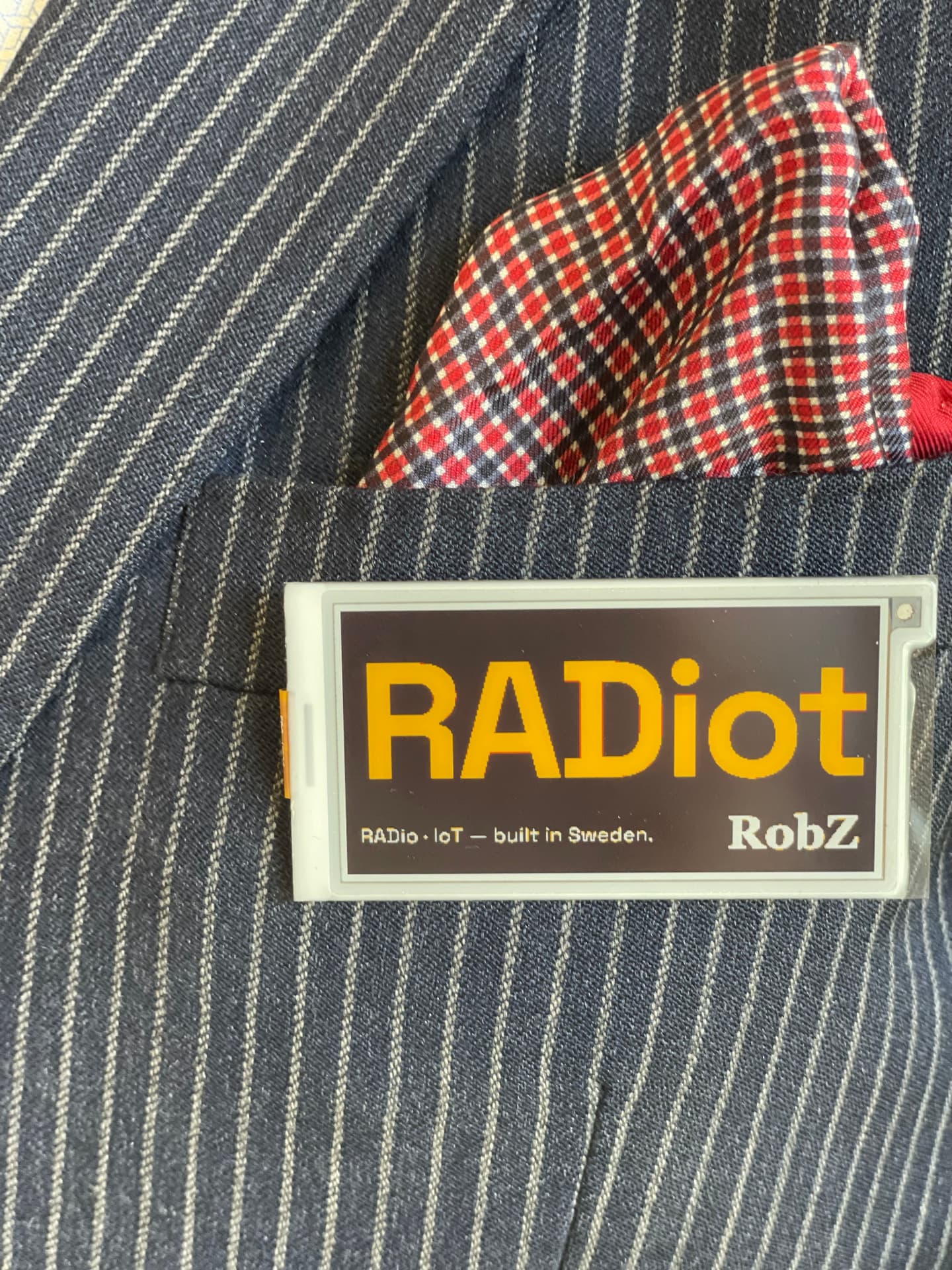
2.66" · 360 × 184 · red / yellow / black / white
How it works
01
Power on the Programmer
The badge shows its own access point name, password and URL on the e-paper screen at boot.
02
Connect and open the editor
Join the badge's WiFi or your own network, then open the address shown on screen.
03
Design and press Update
Compose and upload. The panel refreshes and then is ready to be disconnected. The Display keeps the image without power.
The Ester badge
Four-colour e-paper
A 2.66-inch 360×184 panel in black, white, yellow and red. The image holds with zero power.
Layer editor
Add, multiple images, logos, color panels and text layers in any order. Drag to place, pinch to zoom, rotate, move.
Any oriantation.
Landscape or portrait, with an optional horizontal or vertical split you can drag right in the preview.
Real typography
Five font families, bold toggle, size control and a four-colour picker per text layer — rendered exactly as previewed.
Works offline or Online
The badge can hosts its own WiFi access point, captive portal and web editor. Or it can connect to your WiFi. No account needed.
Optional Cloud registration
Save your edits to cloud, and share with others. PLANNED.
the editor
Everything happens in the browser
You compose the layout — logo, colour banner and text, in the browser The preview you see is exactly what appears on the e-paper.
- · Drag layers on the canvas, reorder them freely
- · Upload artwork or add text and colour. zoom, rotate, move and reorder.
- · Live progress feedback while the panel refreshes
- · Layouts and images are auto-saved on the programmer, and stays there, ready to be re-used, or edited for next time.
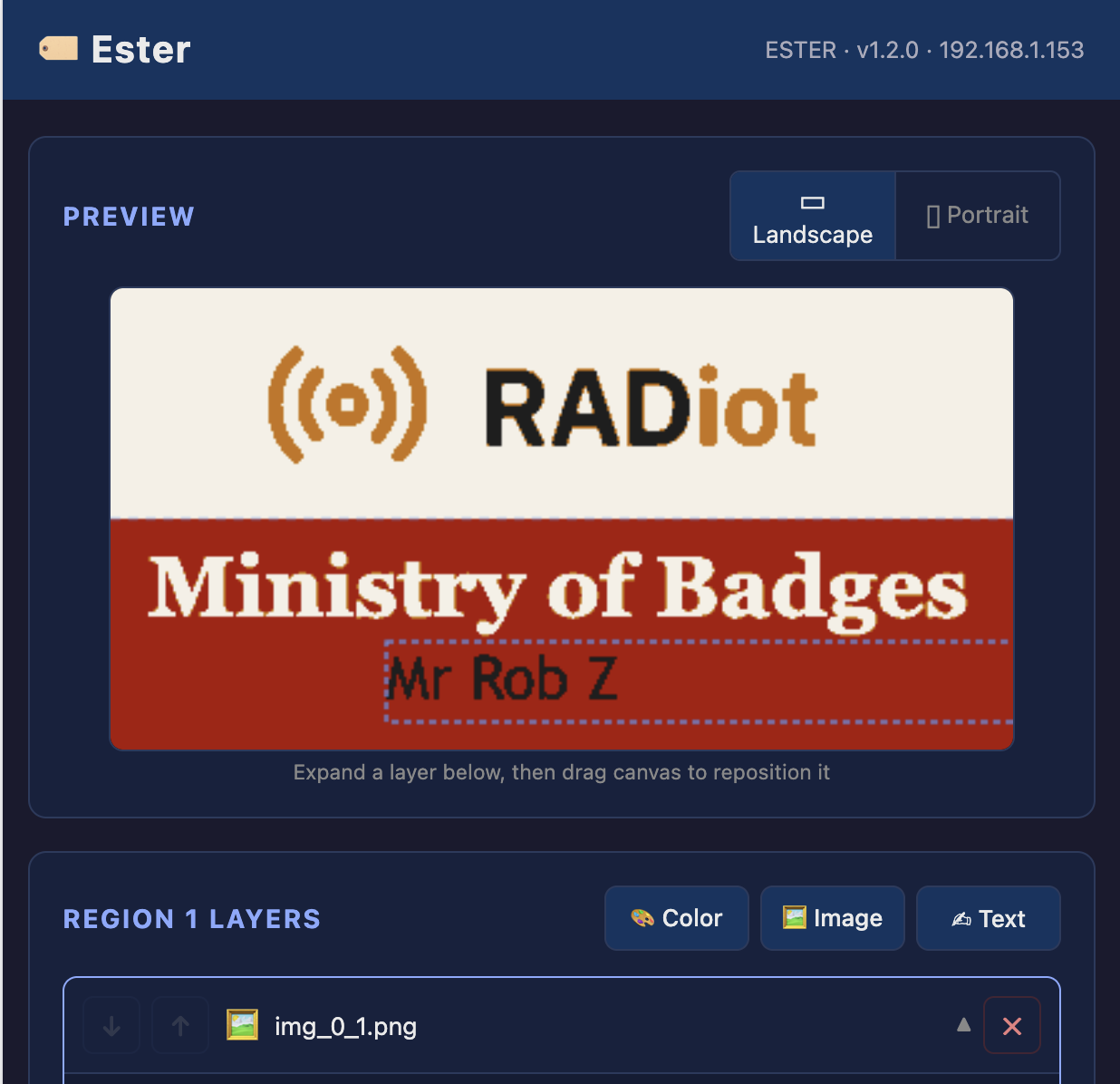
Browser editor — layer preview and region controls
Hardware
- Display
- 2.66" e-paper, 360 × 184 px, 4 colours
- Controller
- EsterMini with WiFi. AP + Client mode
- Editor
- Browser-based, served from the device
- Storage
- settings, layers and images persist
- Discovery
- Captive portal and mDNS hostname
- Identity
- Unique device ID
REFRESH IN ACTION — DESIGN, UPDATE, DISCONNECT - USE.
The programmer - EsterMini
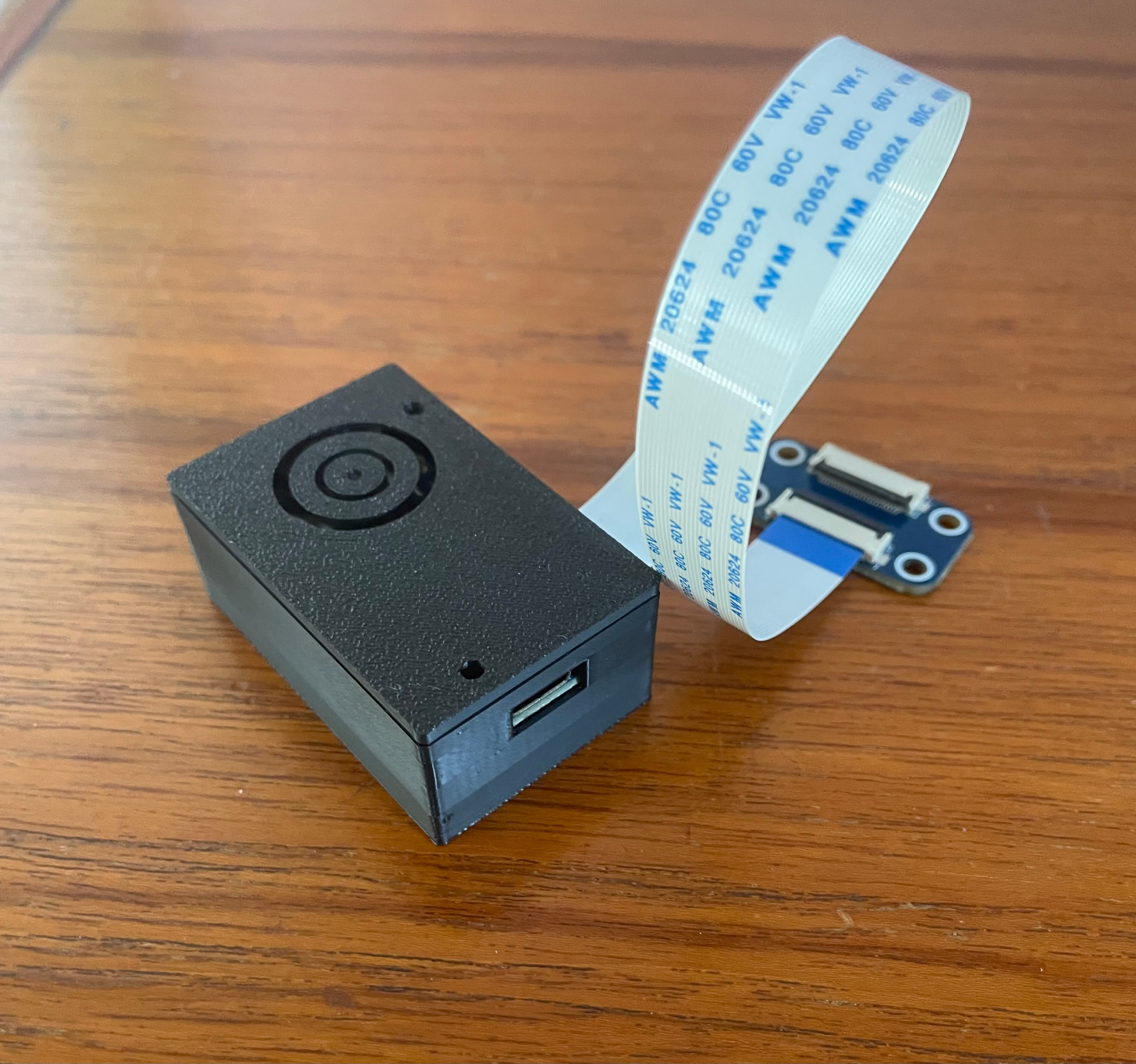
ESTERMINI · USB-C · FPC CONNECTOR
Roadmap
- Phase 1Shop — buy an ESTER badgelive
- Phase 2Connect directly, and edit in browser on your phone or computerGetting started guidelive
- PHASE 3Setup Cloud service. Accounts and owner portal.live